A quiet place for drafts, notes, and visual ideas.
Folio is an open source macOS writing app. It combines a notebook library, a native editor, and local storage in a workspace built around the writing itself.
- Scope
- Product design · Interface design · macOS development
- Built with
- SwiftUI · AppKit · Swift · CloudKit
- Current state
- Version 0.3 · Local Mac build · macOS 26+
The product question
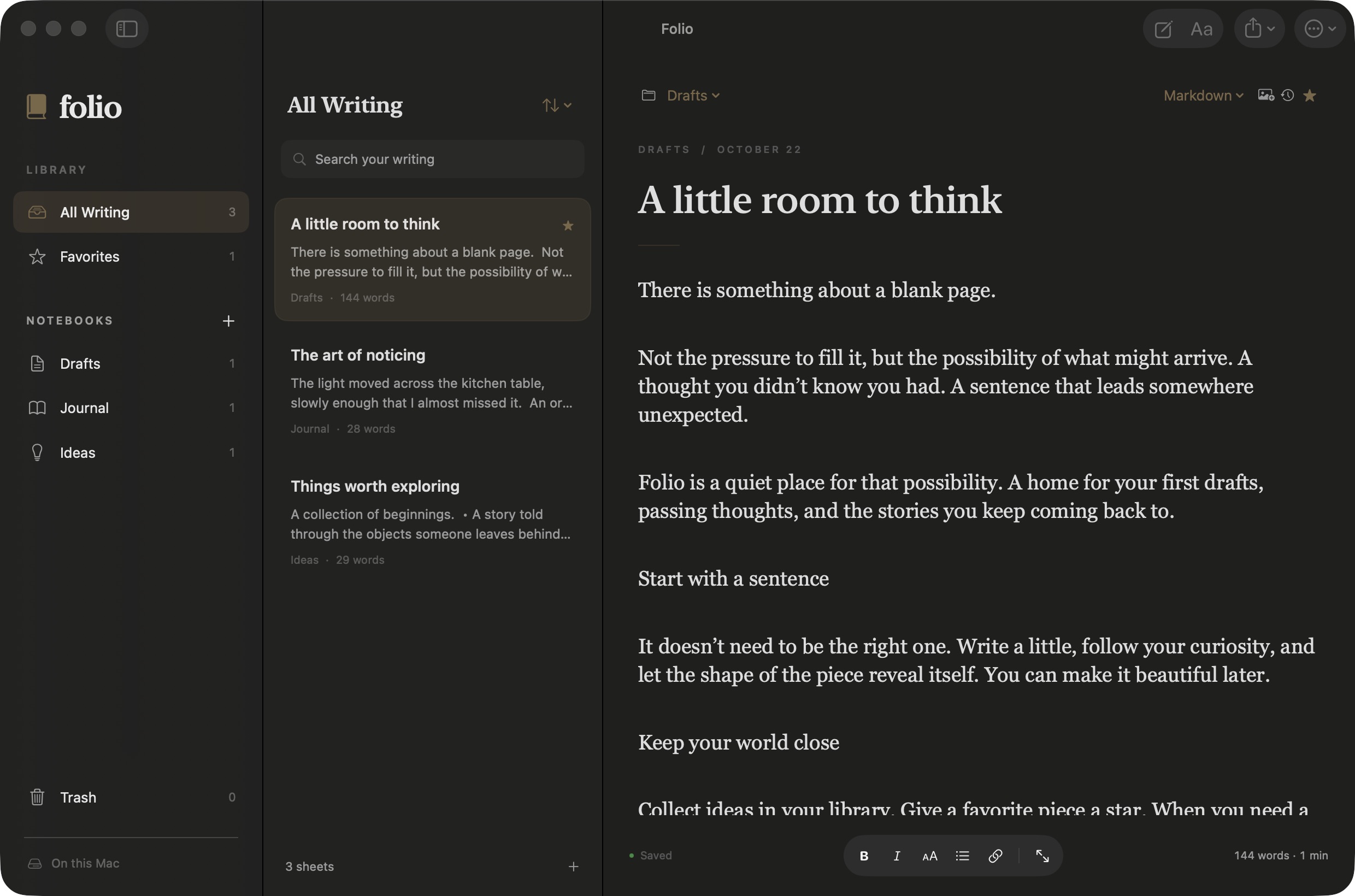
How can a writing app make it easy to collect ideas, find a draft, and keep writing without crowding the page? Folio approaches this through a familiar library structure and an editor that can become the whole workspace.
Designing the workspace
The interface follows three levels: notebooks, sheets, and the current piece of writing. Keeping those levels visible makes moving between drafts straightforward. Resizable columns let the writer adjust how much room each part receives.
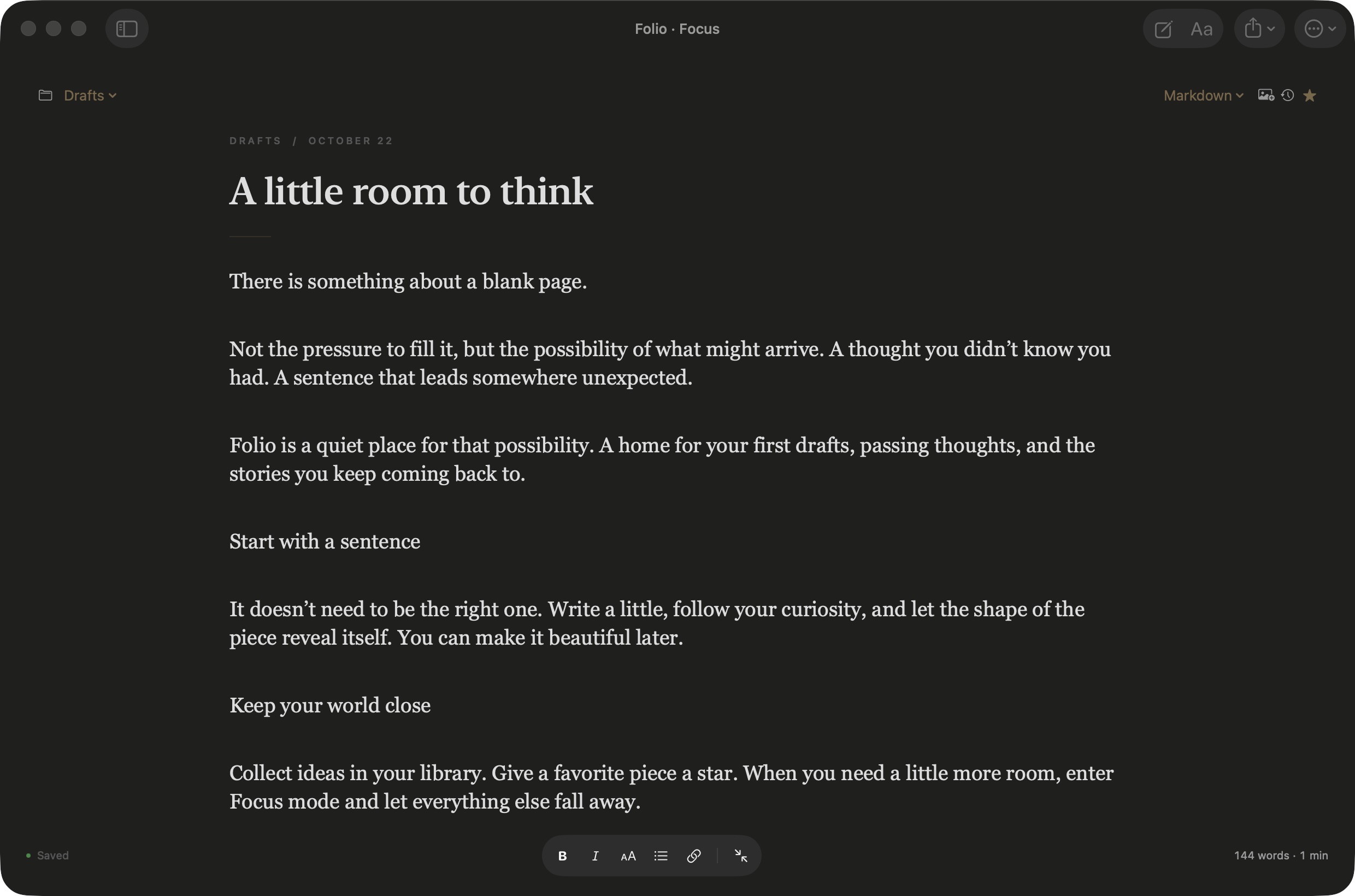
Muted colors, serif typography, and native glass controls establish the visual direction. Formatting sits near the writing, while library management and export actions live in the toolbar. Focus mode hides the library without taking the writer out of the document.
A short walkthrough
Walkthrough: Browse notebooks and find a sheet, write and format text, switch into focus mode, track a word target, revisit versions, and export the writing. Keyboard audio: unicaegames, Keyboard Soundpack #1, CC0.
Decisions behind the experience
Native editing, two ways to write
SwiftUI handles the workspace, while AppKit’s NSTextView provides editing, spelling, selection, and undo. Sheets support rich text and Markdown. A version is saved before switching modes because conversion can change formatting; complex Markdown structures are not guaranteed to round-trip.
Local storage with recovery built in
Writing saves after a 350-millisecond pause. Atomic file writes and checks for external changes help prevent incomplete saves and accidental overwrites. Document history retains up to 50 versions per sheet, alongside up to 20 automatic library backups. Restoring a version checkpoints the current writing first.
Visual ideas alongside prose
Image-first sheets pair a cover image with a title and writing. Covers are copied into the library and included in versions and library backups. Document exports currently carry the writing only, so preserving the whole visual library requires a library backup.
Portable documents
Import supports TXT, Markdown, RTF, and DOCX. Export adds paginated PDF and native printing. Word support preserves basic formatting; complex layouts, tables, comments, and tracked changes remain outside the app’s scope.
Development and validation
The project separates document storage, library operations, native editing, document conversion, and cloud synchronization into dedicated modules. The accompanying test suite covers migrations, Unicode, recovery, conflicting writes, autosave, version history, formatting, and document export. Sync checks use simulated Macs and a fake CloudKit transport.
The project’s build notes report successful local Release and cloud-code compilation. For this case study, the running local app was checked in its library and focus views using sample documents. These observations demonstrate the interface; they do not establish broad compatibility or user adoption.
Outcome and next steps
Folio has moved beyond an interface concept into a working native app with editing, organization, import and export, and recovery features. The current deliverable is a local Mac build rather than a notarized public release.
Optional CloudKit synchronization is implemented, but enabling it requires an eligible Apple Developer account and provisioning. Live cloud round trips remain unverified. The source is available on GitHub under the MIT license. Further work includes testing synchronization on real devices and distribution preparation.